| Holiday Hack Challenge 2023 Report | Cody Travis <cwtravis@gmail.com> |
Difficulty: |

|
The objective here is to beat Santa and his elves in a snowball fight! I found the Snowball Hero game on Frosty's Beach on Christmas Island. The game itself is straightforward. You and a teamate spawn in a snowy field and try to hit the elves and Santa with snowballs before you get hit too many times.
There are two modes: You vs Players and You vs Santa. I will focus on the vs Santa mode here. When you launch the game you will be asked if you want to create a private room, join a private room, or join a random match making game.
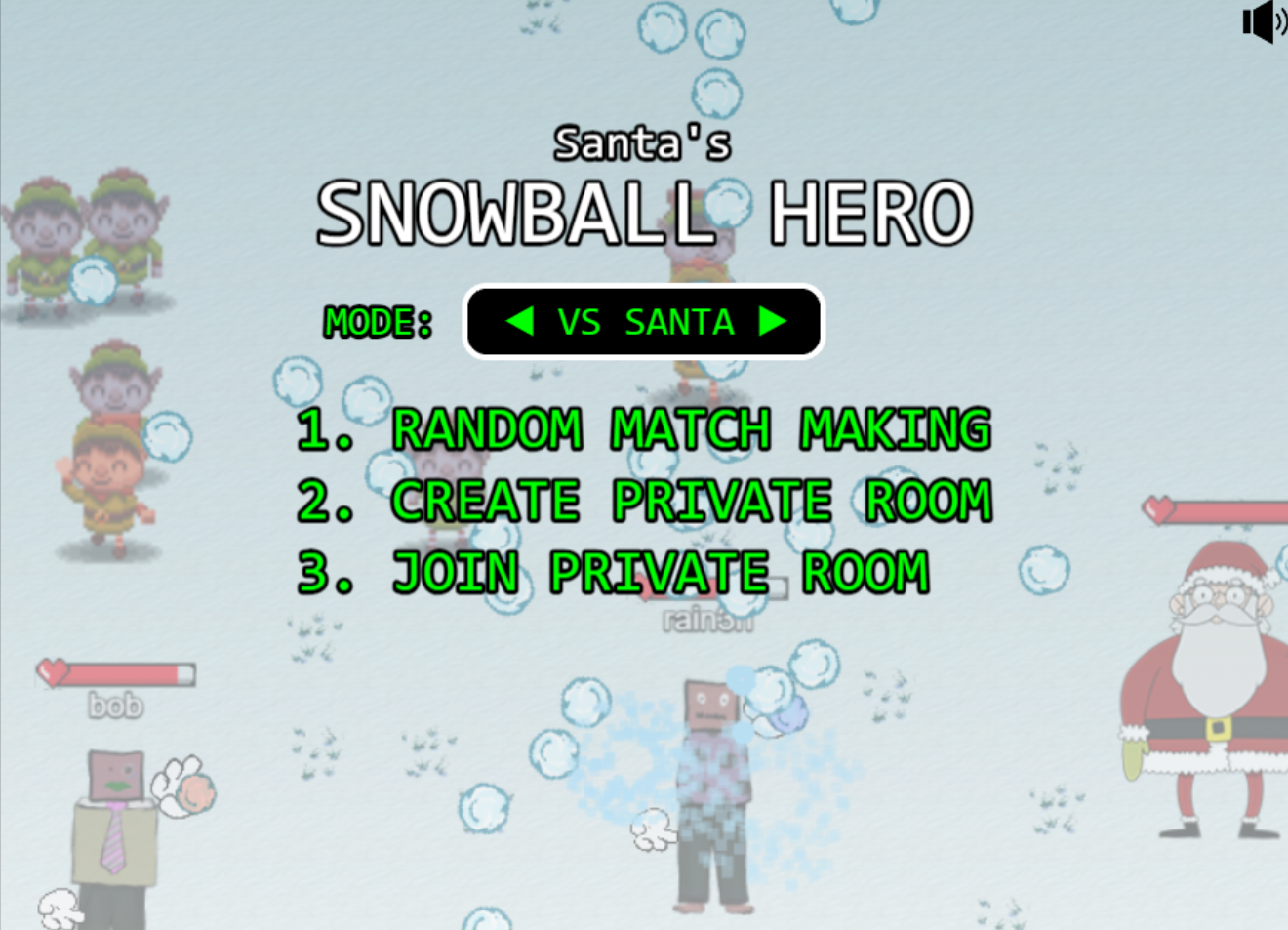
I used an HTTP proxy (BURP) to launch the game and inspect the traffic being sent back and forth on URL "https://hhc23-snowball.holidayhackchallenge.com/"
I noticed that when you create a private room, it will check localStorage for a value called singlePlayer, but then it promply ignores it and checks the URL param instead 😄.
function checkAndUpdateSinglePlayer() {
    const localStorageValue = localStorage.getItem('singlePlayer');
    if (localStorageValue === 'true' || localStorageValue === 'false') {
      singlePlayer = String(localStorageValue === 'true');
    }
    const urlParams = new URLSearchParams(window.location.search);
    const urlValue = urlParams.get('singlePlayer');
    if (urlValue === 'true' || urlValue === 'false') {
      singlePlayer = String(urlValue === 'true');
    }
}So to enable singlePlayer mode, you cannot use localStorage, you must edit the URL parameter. In the address bar, edit the singlePlayer to be true, and press enter. When the URL loads, single player mode will be enabled and Elf the Dwarf will spawn and help you in the snowball fight.
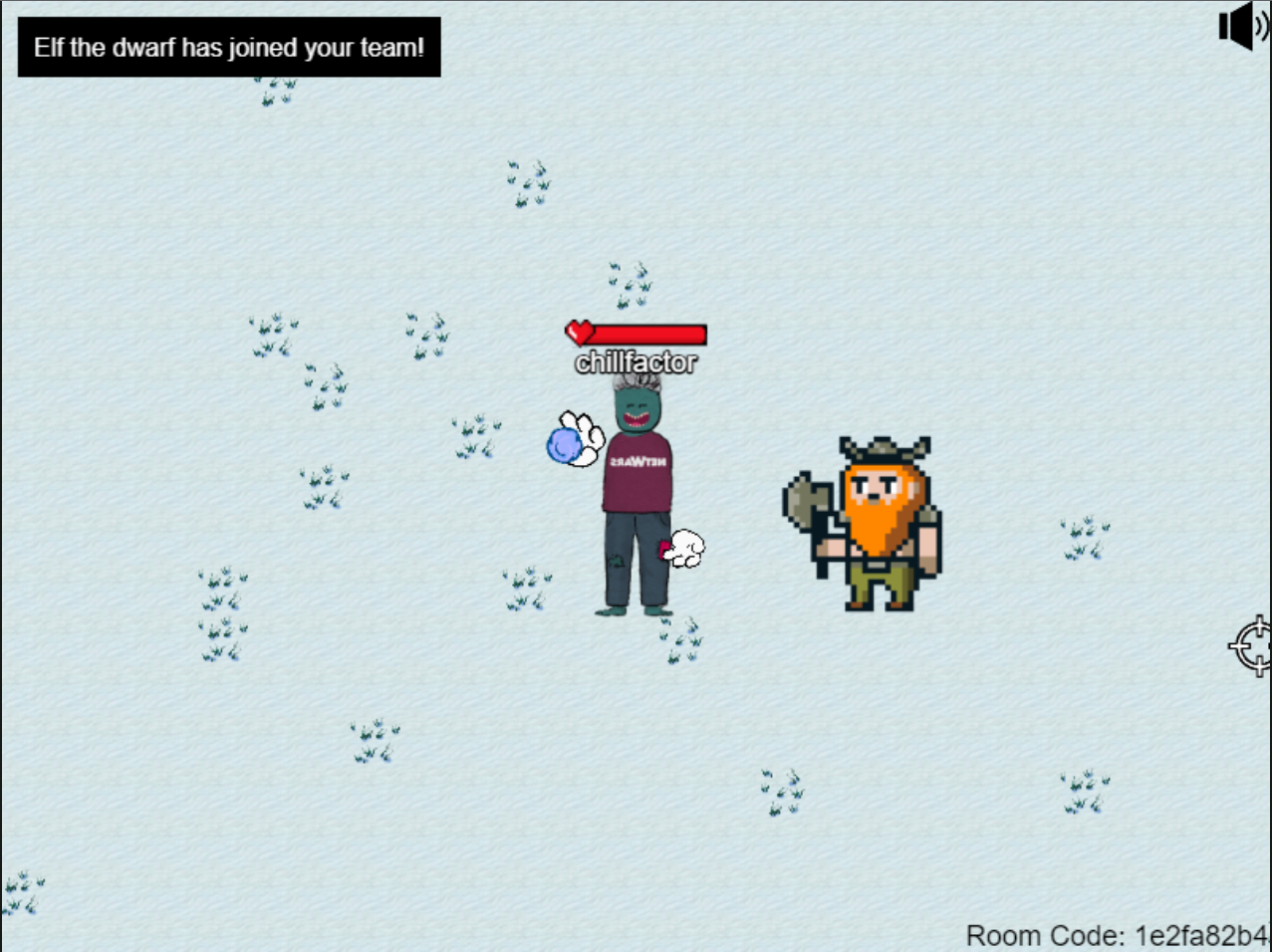
Elf the Dwarf alone is enough help to defeat Santa, but if you want to make your life even easier there are other ways to cheat.
The JavaScript console in the browswer developer tools is an easy way to cheat in Snowball Hero. You can view developer tools in most browsers by pressing F12. The console will be a tab in the developer tools. This console allows you to run arbitrary javascript code. If there are values that can be manupulated in real time that affect the game, we can just edit the value in the console as the game is running.
Lets inspect the source code for the room page to see which values can be manupulated in the console:
  var playerRespawnTime = 5000
  var toastManager;
  var bgmusic;
  var ReadyButton;
  var ReadyButtonText;
  var lastUpdateTime = 0;
  var gameSceneObject
  var isFacingLeft = true
  var player;
  var scrollintro
  var scrollend
  var cursors;
  var otherPlayers = {};
  var allElves = {};
  var elfThrowDelay = 2000
  var SampleAvatars = [];
  var stopTheGame = false
  var winGameText
  const STALE_LIMIT = 1000;
  const worldSize = 50;
  const centerX = worldSize * 16; // half of 32, which is the width of a tile
  const centerY = worldSize * 16; // half of 32, which is the height of a tile
  var worldHeight = worldSize * 32
  var spriteSize = {width:100, height:200}
  var jaredSprite
  var starting_pos = randomPositionWithPadding(spriteSize.width, spriteSize.height, worldHeight, 20);
  var map
  var tileset
  var layer
  var lastSent = 0;
  const sendRate = 100; // in milliseconds
  var lastUpdate = 0;
  var projectiles
  var assigned_id = ''
  var snowballLiveTime = 2500
  var snowballDmg = 2
  var snowballSpeed = 500
  var playersHitBoxSize = [30,30,40,60]
  var elfHitBoxSize = [32,32,48,48]
  var santaHitBoxSize = [60,60,70,70]
  var player_healthbar_offset = {x:0,y:-90}
  var myPlayerTint = 0xb3b3ff
  var otherPlayerTint = 0xff9980
  var santaObject
  var santaThrowDelay = 500
  var playersVelocity = 200
  var gameOverText
  var talkingjared
  var isaudio = true
  var audiotoggle
  var talkingjaredSound
var crosshairsOne thing I saw right away are the values "elfThrowDelay" and "santaThrowDelay". These values seem to be the amount of time in ms between throws.
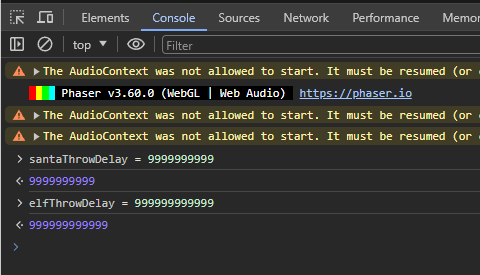
You can set these values to be very high and have the elves and Santa never throw snowballs!
Another value that looks fun to manipulate is the hitbox size:
var playersHitBoxSize = [30,30,40,60]
var elfHitBoxSize = [32,32,48,48]
var santaHitBoxSize = [60,60,70,70]Try making your hitbox very small! You will never take damage!
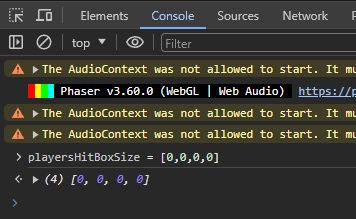
One limitation of the console is that not every change we make will be reflected in the game. Sometimes values are used once when the page is loaded and then never used again. In order to change these values you need to set a breakpoint that will pause the javascript execute and give you time to make changes before resuming.
Remember that there are many many ways to manipulate the javascript in this game to make winning easier (or inevitable). The ones here are just a few examples. Have you tried making elves and Santa die immediately? What if they didn't move? What about an instant win?
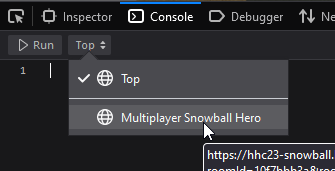
Another thing about working with the console is that if you are in an iframe (like in Holiday Hack Challenge), you have to specify which frame you want your commands to go to. So most browsers will have a drop down where you can select which frame you want to use.
Another way to take advantage of your Browser's developer tools is to enable Local Overrides. This allows your browser to serve a local version of a file or files to you instead of the one from the server. You can then edit the file as much as you want and it will be reflected on the page. Another great thing about Local Overrides is that they persist across refreshes.
Here is an example of how to enable Local Overrides in Chrome: Local Overrides
To use Overrides, load developer tools with F12 and refresh the page. In the network tab, right-click the "room" URL and select Override Content. This will open the file in the Sources panel and allow you to edit the content of the page and save it. On the next refresh, your changes will be reflected in the game. With overrides enabled, the sky is the limit. My asperation was to give myself a snowball machine gun!
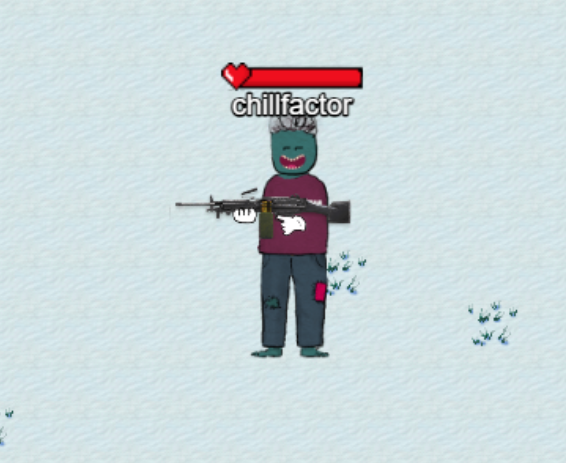
Step 1 was to create the machine gun sprite image. I used an image editor to create the tiles and drew in the hands:
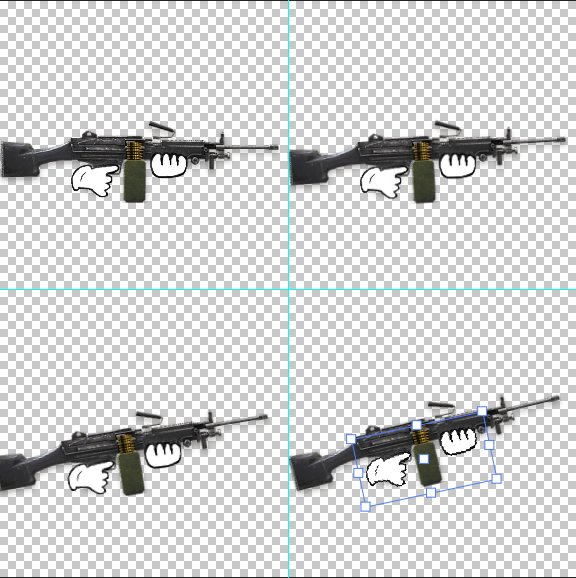
Step 2 was to make the game use my sprite instead of the normal hand sprite. I named my gun sprite "hand_sh2.png" and saved it relative to my overridden room file in images/hand_sh2.png so when the game loads the sprites, it will find my file instead of the normal right hand sprite.
this.load.spritesheet('hand_sh', '../images/hand_sh2.png', {
      frameWidth: 288,
      frameHeight: 288
});Step 3 was to fix the position of the gun sprite and remove the left hand, so it looks more natural. I also set the snowball to be invisible in the hand until it is shot (thrown).
var hand_offsets = {
	lx:30,
	ly:40,
	rx:20,
	ry:-20,
}

function setupPlayerHands(player_obj, isme=true) {
	...
	player_obj.lhand.visible = false
	...
	player_obj.snowball.visible = false
	...
}Step 4 was to make the snowballs continually fire when the mouse was held down. When the "pointerdown" event is received, I created a javascript interval function that gets called every 100ms. This function "throws" a snowball. I added another even on "pointerup" that clears the interval function so the gun will stop shooting.
var fireInterval;
this.input.on('pointerdown', function (pointer) {
  playerThrow(pointer);
  fireInterval = setInterval(function(){
	playerThrow(pointer);
  }, 100);
}, this);

this.input.on('pointerup', function (pointer) {
  if(fireInterval !== undefined){
	clearInterval(fireInterval);
  }
}, this);Now refresh the game and start blasting!